Skip to content
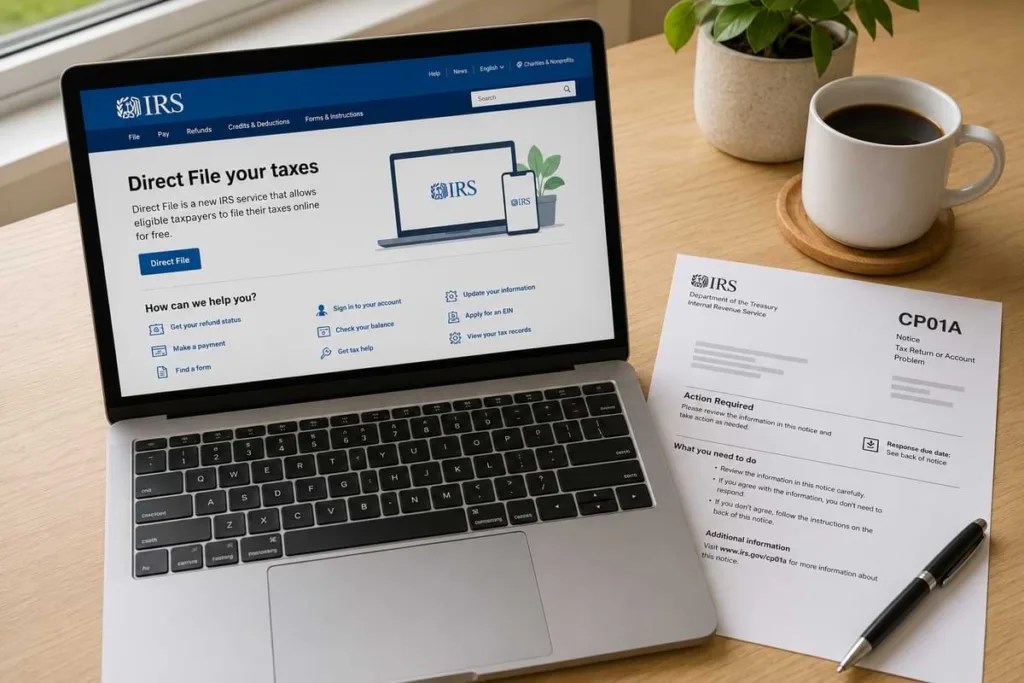
To retrieve your IRS IP PIN, log in to your IRS Online Account at IRS.gov and check your Profile page.
If you cannot access your account, call 800-908-4490 to have your IP PIN reissued.
You can also file Form 15227 if your income is below $84,000 (individual) or visit a Taxpayer Assistance Center in person with two forms of ID.
Your IRS Identity Protection PIN is a six-digit number that prevents someone else from filing a federal tax return using your Social Security number. If you lost your IP PIN, never received your CP01A notice, or had your e-file rejected, you need to retrieve it before your return can be processed.
The good news is the IRS provides three ways to get your IP PIN back. This guide walks through every retrieval method so you can resolve the issue and file your return without delays.
What Is an IRS IP PIN?
An Identity Protection Personal Identification Number is a unique six-digit code the IRS assigns to eligible taxpayers. It acts as an extra layer of authentication on your federal tax return.
The IRS generates a new IP PIN every calendar year. You receive it on Notice CP01A, which is mailed in December or January. Your IP PIN must be entered on your Form 1040, 1040-SR, or any other federal return before the IRS will accept it.
Without the correct IP PIN, the IRS rejects electronic returns and delays paper returns. That makes retrieving a lost or missing IP PIN an urgent priority during filing season.
Who Needs an IP PIN?
Not every taxpayer has an IP PIN. The IRS issues one automatically to confirmed identity theft victims. However, any taxpayer can voluntarily opt in to the IP PIN program through their IRS Online Account.
Common situations where you may have an IP PIN:
- Confirmed identity theft victim. The IRS assigned you an IP PIN after resolving an identity theft case tied to your SSN.
- Voluntary enrollment. You opted in through your IRS Online Account to add an extra layer of filing security.
- Dependent with prior identity theft. A minor or dependent whose SSN was previously compromised may also have an IP PIN on file.
If you are unsure whether you have an IP PIN, check your IRS account transcripts or log in to your IRS Online Account to confirm.
How to Retrieve Your IP PIN Online?
The fastest way to retrieve your IP PIN is through the IRS IP PIN retrieval tool at IRS.gov. This tool is available 24/7 and provides your IP PIN immediately after identity verification.
Here is how the online retrieval process works:
- Go to IRS.gov and select “Get an IP PIN” or navigate directly to the IP PIN tool.
- Log in with your IRS Online Account credentials. If you do not have an account, you will need to verify your identity through ID.me.
- Once logged in, navigate to your Profile page. Your current IP PIN is displayed there.
The ID.me verification process requires a government-issued photo ID and may include a video selfie. If you have already set up your IRS Online Account, retrieval takes less than five minutes.
How to Retrieve Your IP PIN by Phone?
If you cannot access the online tool, call the IRS IP PIN helpline at 800-908-4490. This line is dedicated specifically to IP PIN issues.
During the call, an IRS representative will verify your identity by asking questions about your tax history and personal information. Once verified, the IRS will mail your IP PIN to your address on file. Expect delivery within 21 days.
Keep in mind that the IRS cannot provide your IP PIN verbally over the phone. The reissued PIN always arrives by mail, so plan ahead if you are close to a filing deadline.

How to Get an IP PIN by Mail or In Person?
For taxpayers who cannot use the online tool or phone line, the IRS offers two additional options.
Form 15227 (by mail). If your adjusted gross income is below $84,000 as an individual or below $168,000 as a married couple filing jointly, you can file Form 15227 to request your IP PIN by mail. The IRS will call you to verify your identity before mailing the PIN.
Taxpayer Assistance Center (in person). You can visit any IRS Taxpayer Assistance Center with two forms of government-issued identification. The IRS will verify your identity on-site and provide your IP PIN. This is the best option if you need your PIN urgently and cannot access it online.
IP PIN Retrieval Methods at a Glance
| Method | Speed | Requirements | Best For |
| IRS Online Account | Immediate | ID.me verified account | Fastest retrieval |
| Phone (800-908-4490) | 21 days by mail | Identity verification questions | No online account access |
| Form 15227 (mail) | 4 to 6 weeks | AGI under $84K individual | Low-income taxpayers |
| Taxpayer Assistance Center | Same day | Two forms of government ID | Urgent in-person need |
What Happens If You File Without Your IP PIN?
Filing a federal return without your IP PIN triggers an automatic rejection for electronic returns. If you submit a paper return without it, the IRS flags the return for additional review, which can delay processing by several months.
Common consequences of filing without your IP PIN:
- E-filed returns are rejected immediately with an error code referencing the missing IP PIN.
- Paper returns go through manual identity verification, adding 8 to 12 weeks of processing time.
- Refunds are delayed until the return clears identity verification.
If your return has already been rejected, retrieve your IP PIN using one of the methods above and resubmit. For help navigating a rejected return, use our IRS notice and letter lookup to identify the specific rejection code.
How to Get an IP PIN for a Dependent or Minor?
Dependents age 18 and older can retrieve their own IP PIN using the online tool at IRS.gov. They will need to create their own IRS Online Account and complete the ID.me verification process.
For dependents under 18, the process is different. A parent or guardian must call 800-908-4490 on behalf of the minor. The IRS will verify the caller’s identity and the minor’s information before mailing the IP PIN to the address on file.
If your dependent’s SSN was previously used in a fraudulent return, enrolling them in the IP PIN program is one of the most effective steps you can take to prevent future identity theft.
Protecting Your IP PIN
Your IP PIN is confidential. Only share it with your trusted tax preparer when filing your return. Never share it by email, text message, or social media.
Key security practices to follow:
- The IRS will never ask for your IP PIN through email, text, or phone calls you did not initiate.
- Store your CP01A notice in a secure location with your other tax documents.
- If you suspect someone has obtained your IP PIN, contact the IRS immediately at 800-908-4490.
- Set up ongoing transcript monitoring to catch unauthorized filings early.
For proactive protection, personal IRS transcript monitoring tracks activity on your IRS account and alerts you to suspicious filings before they cause damage.
Common Mistakes When Retrieving Your IP PIN
- Entering last year’s IP PIN instead of the current one. The IRS issues a new PIN every year, and only the current PIN works.
- Assuming you do not have an IP PIN. If you opted in or were enrolled by the IRS, your return will be rejected without it.
- Waiting until the filing deadline to retrieve it. Phone and mail options take days or weeks, so retrieve your IP PIN early.
- Sharing your IP PIN with someone other than your tax preparer. This creates unnecessary security risk.

Need Help With Your Tax Return or IRS Issues?
If you are struggling to retrieve your IP PIN or dealing with a rejected return, Ed Parsons CPA can help. With 25+ years of IRS tax resolution experience, our team handles IP PIN issues, identity theft cases, and complex filing situations for clients nationwide. Our team or visit our contact page to schedule a consultation.
Want to learn how to protect yourself from IRS identity theft and manage your own tax compliance? Join the Tax Resolution Lab for step-by-step guidance, tools, and community support.