Skip to content

MassTaxConnect is the Massachusetts Department of Revenue’s online portal for registering, filing, paying and corresponding about state taxes. Individuals create a logon by validating prior Massachusetts tax information, businesses register the entity, and each account type is added separately. Logons are personal to the user, and a CPA gets access by requesting it rather than by sharing a password.
“I created an account, it asked me to validate a prior return, and I have never filed in Massachusetts. Now what?”
“We registered the company but our sales tax account is not showing. Did the registration fail?”
“Can I just give my accountant my login so they can file for us?”
What MassTaxConnect Actually Is
One portal handles nearly every interaction a person or company has with the Massachusetts Department of Revenue. Registration, returns, payments, refund status, notices, transcripts and secure messaging all live inside MassTaxConnect, and there is no meaningful paper alternative for most business taxes.
The design is account-based rather than task-based, and that is the source of most confusion. You do not have a MassTaxConnect account so much as a logon that reaches a set of tax accounts, each of which was added deliberately at some point.
Once that model is clear, the portal stops feeling arbitrary. The rest of this guide walks the sequence in the order people meet it.
Creating a Logon
If you have filed in Massachusetts before
Choose Sign Up, then Create My Logon, and select the option confirming you have previously filed Massachusetts taxes. The system validates you against information from a prior return, then emails a confirmation link and prompts two-step verification on first login.
[Screenshot: MassTaxConnect home screen with the Sign Up link highlighted in the upper right]
If you have not
This is the first question at the top, and it has a defined answer rather than a workaround. Where prior tax information cannot be supplied, the route is to contact the Department and request a Notice of Account ID, which provides the identifier needed to complete the logon.
Founders relocating to Massachusetts hit this constantly, because the portal expects a filing history the person does not yet have. It is a phone call rather than a dead end.
[Screenshot: Create My Logon screen showing the previously filed taxes selection]
If you are setting up a company
Businesses use Register a New Taxpayer under Quick Links rather than the individual path. Registration establishes the entity with the Department, and the tax accounts it owes are added from there, which is the distinction behind the second question at the top. The wider set of obligations is mapped in the founder playbook.
[Screenshot: Register a New Taxpayer selection under Quick Links on the home screen]
Where Things Live
| What You Want to Do | Where It Lives | What Trips People Up |
| Create a personal logon | Sign Up, then Create My Logon | Validation asks for prior Massachusetts tax information, which a new arrival does not have |
| Register a business | Register a New Taxpayer, under Quick Links | Registering the entity is not the same as adding each tax type it owes |
| Add a tax account | Add an account type, new location or new license | Each tax is a separate account, so nothing appears until you ask for it |
| Recover a locked logon | Forgot username or password, then DOR by phone | A changed email address usually means the self-service route will not work |
| Give your CPA access | The third party requests, you approve | There is no way to grant it from your side alone, and sharing a password is not the same thing |
| Ask a question | Secure messaging inside the account | Email is not secure and the contact center keeps limited hours |
| Measurement | One portal, many separate accounts | Almost every problem is a logon problem or a missing account type, not a broken system |
Adding Tax Types
Registering the company does not open its tax accounts. Each one, corporate excise, withholding, sales and use, paid family and medical leave, meals, is added separately from within the profile.
The path is Manage My Profile, then More, then the option to add an account type, new location or new license. The account appears once the request completes, and filing periods start generating from the effective date entered.
[Screenshot: Add an account type, new location or new license option under the More tab]
Two details save time here. The effective date matters, because it determines which periods the portal expects, and choosing the wrong one produces either phantom late filings or missing periods. And a company adding a tax type months after it should have been added will see prior periods appear, which is the portal telling the truth rather than malfunctioning.
The Numbers Behind the Portal
- 1: the portal covering registration, filing, payment, refunds and correspondence.
- 3: the logon types, your own, additional logons on your business, and third-party access.
- 2: the steps in a third-party request, the preparer asks and the taxpayer approves.
- 9 a.m. to 4 p.m.: the contact center window, Monday through Friday.
- (617) 887-6367: the Department’s main number, with a toll-free alternative in state.
- 0: the tax accounts that appear without being added.
Locked Out, and How to Get Back In
The self-service route is the Forgot username or password link on the home screen, which works when the email address on file is still reachable. Per the Department’s login assistance guidance, an account holder locked out with a new email address needs to call rather than reset online.
The contact number is (617) 887-6367, with a toll-free line in Massachusetts, and the contact center operates from 9 a.m. to 4 p.m. Monday through Friday. Having the relevant notice or account identifier to hand shortens the call considerably.
One preventable version of this is worth naming for companies. Portal credentials often sit with whoever set the account up, sometimes a departed bookkeeper or a former co-founder, and the discovery happens when something is due. Confirming who can log in today is a five-minute task that saves a week later.
Giving Your CPA Access
The third question has a firm answer: no, and not because anyone is being precious about it.
Logons are personal to the individual user, and they carry access rights rather than simply opening a door. Sharing credentials hands over the original registrant’s rights and personal information, which is why the Department’s third-party access rules set out a proper mechanism instead.
The flow runs in one direction. The third party initiates the request from their own logon, selecting your identifier and the accounts they need. You then approve it, either online or by printed authorization, choosing which accounts they reach and at what level.
You keep control throughout. The taxpayer decides who has access and what type, and access can be revoked at any time, though revocation is not reversible without granting it again.

Messaging, Refunds and Payments
Secure messaging inside the account is the fastest way to ask a specific question, and it runs around the clock rather than on contact center hours. Refund status can be checked without logging in at all, which the refund article covers in detail, including what each status actually means.
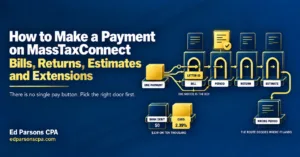
Payments are their own subject, because bill payments, return payments, estimates and extensions sit behind different routes and choosing the wrong one misapplies the money. The payment walkthrough goes click by click, and founders making quarterly payments should read the estimates article alongside it.
Notices appear in the account too, which matters more than it sounds. A notice read promptly is a disputable assessment; one discovered late may not be, and the abatement article explains the deadlines that decide which.

Set It Up Once, Properly
Most MassTaxConnect frustration is not a portal problem. It is a logon created under the wrong type, a tax account nobody added, credentials belonging to someone who left, or an access request that was never made. All four are avoidable at setup and tedious afterwards.
Ed Parsons CPA sets up Massachusetts accounts for founders and companies, adds the right tax types with the right effective dates, takes third-party access properly rather than by password, and runs the filings from there, under the firm’s startup tax help service.
Where a notice or an assessment has already issued in an account nobody was watching, a Business CPA Tax Resolution Case Analysis prices the exposure before anything is signed or paid.