Skip to content
By Edward Parsons, CPA · licensed since 2009
Key takeaways
- AI assistants such as ChatGPT, Claude and Gemini explain the PFIC rules well. They are not a reliable way to compute a Form 8621 Part V figure from your broker statements.
- The section 1291 calculation runs through a 125% test for each block of shares, a day-by-day allocation across your holding period, a different top tax rate for each prior year, and IRS interest that compounds daily at a rate that changes every quarter. One wrong date moves tax from one year to another.
- The safer split: a purpose-built calculator does the arithmetic and shows every step, an AI checks the steps, and a CPA makes the judgment calls.
- The PFIC Calculator & Form 8621 Generator exports its workpapers in Markdown. That’s a plain-text format AI models read cleanly, so you can hand the whole calculation to the AI of your choice and ask for a critique.
- Your Social Security number is never stored and is never in the export.
- An AI critique is not tax advice. When you want a professional to check the figures before you file, the calculator offers an optional CPA review.
More people now ask an AI assistant about their foreign funds before they ask anyone else, and many of the PFIC questions that reach my practice start that way. The assistants usually get the rules right. They struggle with the number: the actual tax and interest that end up on line 16 of Form 8621.
This guide explains why, what to do instead, and how to use the AI you already trust as a second pair of eyes on a calculation you can see in full. It includes the exact prompt to paste, four more prompts for other jobs, and the honest limits of what an AI review can tell you.
Can ChatGPT, Claude or Gemini calculate PFIC tax?
They can describe the calculation, and they can check one. Building one from your raw statements is where it goes wrong.
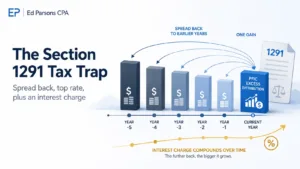
Under the default rules in section 1291 of the Internal Revenue Code, a distribution above a set threshold, or a gain when you sell, is not taxed like a normal dividend or capital gain. It is spread across your holding period, taxed year by year at the top rate in force in each of those years, and charged interest. My guide to the PFIC excess distribution regime explains why the rules work that way. To compute the tax from scratch, an AI would need to get every one of these right:
- Every transaction, in order. Each purchase starts its own block of shares with its own holding period. A missing purchase or a transfer coded the wrong way changes every figure that follows.
- A 125% test for each block. Whether a distribution counts as “excess” depends on what that block received in the three prior years. Part years and a block’s first year follow their own rules.
- A day count, not a year count. The excess is allocated to every day you held the shares. Days in the current year, and days before the fund became a PFIC for you, go one way. Days in each prior PFIC year go another.
- A rate for each prior year. Each prior year’s share is taxed at the highest rate in force for that year, not at today’s rate.
- Interest by the quarter, compounded daily. Interest runs from each prior year’s original due date at the IRS underpayment rate for each quarter, compounded daily under section 6621 and section 6622.
- Currency on specific dates. A fund that pays in euros, rupees or Canadian dollars brings its own translation rules.
A language model is weakest at exactly this kind of long, exact chain. It can drop a day, misremember a historical interest rate or round halfway through, and it presents the result with the same confidence either way. Ask twice and you may get two different numbers. It also cannot see a purchase that isn’t in what you pasted.
None of that makes AI useless here. It makes AI the wrong tool for the first draft and a very good tool for the review.
The better split: the calculator computes, the AI checks, a CPA decides
There are six realistic ways to get a Form 8621 Part V figure. They differ mostly in where they break.
| Approach | What you get | Where it breaks |
|---|---|---|
| Ask an AI to compute it from your statements | A plausible number, fast | Not reproducible, no audit trail, historical rates and day counts from memory |
| Build a spreadsheet yourself | Full control | Many hours per fund, and one formula error repeats through every year |
| Use the PFIC Calculator | Form 8621 filled in, with workpapers behind every figure | Only as good as the transactions you load |
| Calculator plus an AI check | An independent second look at the arithmetic and the method, in minutes | The AI can be wrong too, and it checks the file, not records you left out |
| Calculator plus the optional CPA review | A CPA checks your workpapers before you file | Costs more than doing it alone |
| Have a CPA prepare your Forms 8621 | Nothing to do yourself | The most expensive route |
Most people should start on the third or fourth row. Add the fifth when the amounts are large, the history is messy or you have years you never filed.
What a PFIC calculator has to get right
If you’re comparing tools, or asking an AI to compare them for you, these are the questions that matter. Each one comes from section 1291, section 1298, the regulations or the Form 8621 instructions. Most tools answer the first few. The rest are where real files go wrong.
PFIC status
- Does it test PFIC status every year? That means both the 75% income test and the 50% asset test, on the company’s own fiscal year, mapped to your tax years.
- Does it apply the start-up year exception? Under section 1298(b)(2), a new company’s first year with income can be treated as not a PFIC, but only when its conditions are met.
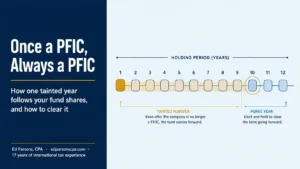
- Does it keep the shares tainted in later years, under the once a PFIC, always a PFIC rule of section 1298(b)(1), even after the company stops passing the tests?
- Does it take the country of incorporation from the charter, not from the ISIN prefix or the head office? Does it follow a company that redomiciles, tax year by tax year?
Your shares, lot by lot
- Does it separate tainted lots from clean lots? Each purchase is its own lot. A lot is tainted if the company was a PFIC for even one day you held it, so the same fund can carry both.
- Does it match sales lot by lot, and say so when it has to assume FIFO because your broker data has no lot detail?
- Does it apply the wash sale rule? A loss disallowed under section 1091 moves into the replacement shares, and their holding period tacks to the shares that were sold.
- Does it handle corporate actions? Splits and reverse splits, mergers and share exchanges with tacked holding periods and basis carried lot by lot, spin-offs, cash in lieu of fractional shares, and ticker or name changes.
- Does it flag what it cannot know, such as shares transferred in with no basis or acquisition date, a share balance that goes negative, or a distribution on a date when no shares were held, instead of guessing?
The filing requirement
- Does it apply the de minimis exception correctly? That’s $25,000, or $50,000 if you file jointly, measured across all your PFICs on the last day of the year, and it is lost in any year with an excess distribution or a gain.
- Does it check the other filing exceptions? Indirect interests worth $5,000 or less, not being the first U.S. person in the ownership chain, certain trusts and estates, treaty foreign pension funds, tax-exempt accounts, dual residents treated as nonresidents under a treaty, bona fide residents of a U.S. territory, and years in which you were not a U.S. person at all.
- Does it mark shares owned jointly with your spouse on line 1, where the form asks for it?
The section 1291 math
- Does it run the 125% test per block of shares, with part years annualized, no excess in a block’s first holding year, and earlier excess distributions taken out of the base?
- Does it allocate by day across the full holding period, separating the current-year and pre-PFIC amounts from each prior PFIC year?
- Does it apply the highest rate for each prior year from a stated, versioned table, and refuse to produce a figure when a rate is missing?
- Does it compute interest correctly? That means the quarterly underpayment rate, daily compounding, leap years, and the period from each year’s unextended due date.
- Does it treat a loss properly? A loss is not taken into account under section 1291, so it shows in brackets with no line 16 amounts and never offsets a gain on another block.
- Does it file one Part V for each excess distribution and each disposition, as the current Form 8621 requires?
Currency and prices
- Does it translate foreign currency at the right moments? Each transaction at that date’s spot rate, the 125% test run in the fund’s own currency with only the excess translated, and year-end values at the year-end rate. London prices quoted in pence need converting first.
- Does it value line 4 from a real year-end price and pick the right value box, leaving the line blank rather than estimating when no price exists?
Forms and records
- Does it fill in the official Form 8621, one per fund per year, with the line 16a statement?
- Does it keep each fund’s reference ID the same every year, and link the old and new IDs after a merger, as the instructions require?
- Can you see every figure behind the form, and export it in a format you or an AI can check?
- Does it record every override, with who made it and when, and freeze the figures while a CPA reviews them?
- What does it do with your Social Security number?
I built the PFIC Calculator & Form 8621 Generator around that list, and I check its calculations myself. It handles every item on that list. Question 23, being able to see and export every figure, is what the rest of this guide is about.
What the Markdown workpaper contains
The calculator exports workpapers in three formats: PDF for your records and your preparer, CSV for a spreadsheet, and Markdown for an AI. The Markdown export carries the full calculation, fund by fund:
| Section of the export | What it shows | Form 8621 lines it supports |
|---|---|---|
| PFIC verdict by year, income and asset tests | Status in each year, the two ratios, and the financial-statement figures behind them | Whether a form is needed at all |
| Filing requirement | Which years need a form, which parts, and whether an exception relieved a year | Parts I to V |
| Identification | Fund name, reference ID, address and country of incorporation, each with its source | The entries above Part I |
| Part I by year | Share class, shares acquired and held, year-end value with the price and the date used | Lines 1 to 5 |
| Excess distribution | Distributions, prior three-year average, the 125% threshold and the excess, block by block | Lines 15a to 15e |
| Filed Part V forms | One block for each Part V you file, each with its own lines | Lines 15f and 16b to 16f |
| Line 16a statement | Every prior year: allocation, rate, deferred tax, interest period with its day count, and interest | Line 16a |
| Quarterly interest schedule | Each rate period, the rate, the days and the compounding denominator | Line 16f |
| Cross-foot to the return | Year totals of the filed forms, and where each one goes on your return | Lines 16b, 16e and 16f |
| Lots, quarter-end shares and ledger | Every lot, the running share balance, and every transaction with its realized gain | Ties out line 3 |
| Data warnings, notes and assumptions | What could not be computed and what was assumed, such as FIFO lot matching | Your review list |
The group export adds a summary of forms by tax year, a reference ID register and an override register. It also has two methods sections that explain, in words, how the rates, the interest and the currency translation were handled in that run. Those sections let an AI check the method as well as the arithmetic.
Two details show the intent. When a rate or a price is missing, the year reads “not computed” instead of showing a guessed figure, because a defaulted rate produces a number that looks right and isn’t. And when the share balance doesn’t tie to your transaction history, the workpaper says so in bold rather than quietly forcing it to fit.
Here is part of a real export from a demo group: one Canadian index ETF with made-up purchases, reinvested distributions and a partial sale. The first table is the 125% test. The second is the line 16a statement behind the Part V forms.
### Excess distribution (§1291(b))

| Year | Distributions (FC) | Distributions (USD) | Prior 3-yr avg (FC) | 125% threshold (FC) | Excess (FC) | Excess (USD) | Currency |
|---|---|---|---|---|---|---|---|
| 2021 | 600.00 | 600.00 | 0.00 | 0.00 | 0.00 | 0.00 | USD |
| 2022 | 1,136.00 | 1,136.00 | 600.00 | 750.00 | 16.00 | 16.00 | USD |
| 2023 | 1,314.00 | 1,314.00 | 865.43 | 1,081.79 | 44.01 | 44.01 | USD |
| 2024 | 1,430.00 | 1,430.00 | 1,006.82 | 1,258.52 | 63.27 | 63.27 | USD |
| 2025 | 3,096.00 | 3,096.00 | 1,269.09 | 1,586.36 | 1,389.52 | 1,389.52 | USD |

##### Line 16a statement — allocation by year

| Tax year | Throwback year | Events | Days held | Allocation | §1 rate | Deferred tax | FTC | Net tax | Interest period | §6621 rate | Interest |
|---|---|---|---|---|---|---|---|---|---|---|---|
| 2025 | 2021 | 4 | — | 1,514.00 | 37.0% | 560.18 | 0.00 | 560.18 | 2022-04-15 → 2026-04-15 (1461 d) | 4%–8% | 179.69 |
| 2025 | 2022 | 6 | — | 1,964.20 | 37.0% | 726.75 | 0.00 | 726.75 | 2023-04-15 → 2026-04-15 (1096 d) | 6%–8% | 180.75 |
| 2025 | 2023 | 7 | — | 2,027.81 | 37.0% | 750.29 | 0.00 | 750.29 | 2024-04-15 → 2026-04-15 (730 d) | 6%–8% | 118.46 |
| 2025 | 2024 | 8 | — | 2,057.60 | 37.0% | 761.31 | 0.00 | 761.31 | 2025-04-15 → 2026-04-15 (365 d) | 6%–7% | 54.88 |
Look at the second row of the first table. Distributions beat the fund-level threshold by a wide margin, yet the excess is only $16.00. That is the per-block test at work: each block of shares is measured against its own history, and a block in its first year has no excess at all. It is exactly the kind of figure worth asking an AI to explain back to you.
Why Markdown, and not the PDF
A PDF is laid out for printing. When an AI reads one, the tables often come apart: columns merge, rows shift, and a figure from one year lands next to the label for another. Markdown is plain text with the table structure written into it, so the model reads the same rows and columns you see.
It’s also small enough to paste in one go, and you can open it in any text editor and read it yourself. That matters for the next step.
How to export your workpapers
- Open your group in the calculator and let the year-end prices finish loading. The export buttons stay disabled until they do, because line 4 of Form 8621 would otherwise print blank.
- For the whole group, open the Group tools menu and choose Markdown under Export. You get one file with full detail for every fund. If you have filtered the table, the option reads Filtered Markdown and exports only what you can see.
- For a single fund, open that fund and use its Markdown button.
- With your forms, tick “Include the workpaper for each ticker” when you download your Forms 8621. The zip then carries a folder with one Markdown file per fund, computed from the same figures as the forms.
- Paste the file into your AI below the prompt, or attach it.
The critique prompt
Copy this into the AI of your choice, then paste or attach the workpaper underneath. A model that can run code will recompute figures more reliably than one working from memory, but ask for the arithmetic either way.
You are reviewing a PFIC workpaper produced by tax software for a U.S. taxpayer who
uses the default method under IRC section 1291 and files Form 8621. The workpaper is
pasted below in Markdown. Treat it as the only source of facts. Do not assume
transactions, elections or prices that are not in it.

Re-check the following and show your arithmetic for each item:

1. The 125% test. For each block of shares and each year, confirm the prior-year
   average distribution, the 125% threshold and the excess (Form 8621 lines 15a to
   15e). Check how part years were annualized, that no excess was computed in a
   block's first holding year, and how earlier excess distributions were treated in
   the base.
2. The holding-period allocation. For each excess distribution and each sale,
   confirm the holding period start and end dates, the day counts, and the split
   between (a) the current year and pre-PFIC days, which are ordinary income on
   line 16b, and (b) each prior PFIC year.
3. The rates. Confirm that each prior PFIC year is taxed at the highest rate under
   IRC section 1 for that year, not the current year's rate. List the rate you
   expected for each year.
4. The interest. Confirm the interest period for each prior year (from the
   unextended due date of that year's return to the unextended due date of the
   current year's return), the quarterly underpayment rates applied, and daily
   compounding. Recompute at least one year's interest in full. Tell me which
   rates you could not verify, so I can check them against the IRS.
5. The cross-foot. Confirm that line 16e equals 16c minus 16d, that each year's
   totals match the filed blocks, that line 5(a) ties, and that the share balance
   ties to the ledger.
6. Currency. Where amounts are in a foreign currency, confirm which rate and date
   were used for each translation, and that the excess was worked out before
   translation.

Then:
- List every figure you could not reproduce, with the section and line it is in.
- Flag anything unclear, inconsistent or unusual, including the data warnings and
  assumptions the workpaper states about itself.
- For each issue, cite the IRC section, Treasury regulation or Form 8621
  instruction you are relying on. If you are not sure of a citation, say so.
- Separate arithmetic errors from data questions (for example, a missing purchase)
  and from judgment calls (for example, whether an election should have been made).
- Do not give a final opinion on what I owe. End with a short list of questions I
  should take to a CPA.

[Paste the workpaper below this line]
Four more prompts that work well
To understand your own workpaper:
Explain this PFIC workpaper to me in plain English, as if I have never filed Form
8621. For each fund: was it a PFIC in each year and why, which years need a form,
whether any distribution or sale triggered section 1291 tax, and what the total tax
and interest are. Point to the section of the workpaper each answer comes from. Do
not recompute anything. List any terms I should look up.
To check a single year (useful when the full file is long):
This is the workpaper for one fund. Check only tax year [YEAR]: the line 15a to 15e
figures for each block, every row of the line 16a statement for that year, and the
cross-foot to lines 16b, 16e and 16f. Show your arithmetic and list anything you
could not reproduce.
To compare two runs after you corrected your transactions:
Below are two versions of the same PFIC workpaper: the first before I corrected my
transactions, the second after. List every figure that changed, say which
correction caused each change, and flag any change the correction should not have
caused.
To prepare for a conversation with a CPA:
Based on this PFIC workpaper, write the questions I should ask a CPA before filing.
Focus on what the workpaper cannot settle: missing or uncertain transaction
history, whether any election was or should have been made, prior years I did not
file, and every data warning. Ten questions or fewer, most important first.
How to read what comes back
An AI review is a quick second look, and often it will find nothing. When it does flag something, put it in one of three piles.
- Arithmetic. Ask the AI to walk through the figure line by line, and check the inputs it used. If a figure in the workpaper really is wrong, the calculation needs correcting before you file.
- Data. Most real problems start here: a missing purchase, a transfer between brokers, a corporate action your broker coded oddly. Fix the transactions in the calculator and recalculate. The workpaper’s data warnings often point straight at these.
- Judgment. Whether an election was available, whether a fund was a PFIC in a borderline year, how a merger should be treated. No export can settle these, and no AI should be trusted to.
Be skeptical of the AI as well. Models misremember historical interest rates, mix up statute subsections and now and then invent a rule with complete confidence. That’s why the prompt asks for citations and for a list of what the model couldn’t verify. Check any disputed rate against the IRS’s own quarterly interest rate announcements, and read the Form 8621 instructions for any line in question.
What an AI check cannot do
- It is not tax advice. It checks arithmetic and method against the facts in one file.
- It can be wrong in either direction. It may flag a correct figure, or miss a real error.
- It cannot see what isn’t in the file. If a purchase is missing from your broker export, the workpaper will be internally consistent and still wrong. Read the data warnings for exactly this reason.
- It cannot make the decisions that come before the arithmetic. Whether to make or fix an election, how to deal with years you never filed, and whether your fund is a PFIC at all in a close year all need judgment. My guide to QEF, mark-to-market and the default method shows how much changes with that one choice.
- It signs nothing and stands behind nothing.
When you want a CPA to look: the optional review
Most of the people who write to me about PFICs don’t want to hand everything over. They want to do the work themselves and have a CPA look before they file. The calculator is built for that.
The optional CPA review sits inside the calculator. You send your workpapers for review, your figures are frozen while they’re being checked, and a CPA reviews them before you file. It covers the workpapers the calculator produced. It is not a review of a return or forms prepared somewhere else. The price is on the calculator’s pricing section, next to the option to have us prepare your Forms 8621 instead.
An AI check before a CPA review isn’t wasted work. Questions you have already sorted into arithmetic, data and judgment make the review faster and sharper.
How I use AI in my own practice
I use AI the way I suggest you use it here: as a fast, tireless first reader whose work a person checks. It drafts, summarizes and catches things. It doesn’t decide. Every judgment and every signature that leaves my practice is mine.
The Markdown export applies the same idea to your own numbers. You don’t have to trust the calculator, and you don’t have to trust the AI. You can test one against the other, and bring in a CPA where the judgment matters. For my broader view, see how I think about AI for tax questions.
Glossary
- PFIC (passive foreign investment company): a foreign corporation, including most foreign mutual funds and ETFs, where at least 75% of gross income is passive or at least 50% of its assets produce passive income. See what a PFIC is.
- Form 8621: the IRS information return a U.S. shareholder files for each PFIC, generally one per fund per year.
- Section 1291 (the default method): the rules that apply when no QEF or mark-to-market election is in effect. Excess distributions and gains are spread over the holding period and charged interest.
- Excess distribution: the part of a year’s distributions above 125% of the average received in the three prior years. A gain on sale is treated as an excess distribution.
- Block of shares: shares acquired on the same date, which share a holding period and are tested together.
- Holding period allocation: spreading an excess distribution or gain evenly over every day the shares were held.
- Pre-PFIC days: days in your holding period before the fund was first a PFIC for you. Amounts allocated to them, and to the current year, are ordinary income (line 16b).
- Deferred tax and interest: the tax on amounts allocated to prior PFIC years at each year’s highest rate (lines 16c to 16e), plus interest on it (line 16f).
- Ticker-year: one fund for one tax year. The calculator’s pricing unit.
- Reference ID: the identifier Form 8621 asks for when a fund has no EIN. It must stay the same every year.
- Markdown: a plain-text format that marks headings and tables with simple characters. Readable by people, and read cleanly by AI models.
Frequently asked questions
Can ChatGPT fill out Form 8621 for me?
It can explain each line, but it shouldn’t be your calculator. The Part V figures depend on every transaction, a day-by-day allocation, a different rate for each prior year and quarterly interest compounded daily. A model working from memory and pasted statements can’t do that reliably or reproducibly. Use a purpose-built calculator, then ask the AI to check the workpapers.
Is it safe to paste my PFIC workpapers into ChatGPT, Claude or Gemini?
The export never contains your Social Security number. It does contain your holdings and transactions, so check your AI account’s data settings before you paste, and share only what you’re comfortable sharing.
Does the Markdown export include my Social Security number?
No. The calculator never stores it, and the workpaper leaves out the shareholder entries at the top of Form 8621: your name, address and identifying number.
Which AI is best for checking a PFIC calculation?
Any capable model reads the Markdown tables. A model that can run code will recompute figures more reliably than one working from memory. Whichever you use, ask it to show its arithmetic, cite its sources and list what it couldn’t verify.
Can an AI check replace a CPA review?
No. An AI can check arithmetic and method against the facts in the file. It can’t tell whether those facts are complete, whether an election should have been made, or how to handle years you never filed. That’s what the optional CPA review in the calculator is for.
What should I do if the AI says a figure is wrong?
Ask it to recompute that figure step by step and check the rate, date or share count it relied on. Most disagreements turn out to be data, such as a missing purchase, which you fix in the calculator and recalculate. If the arithmetic itself is still in question, that’s a good point to use the CPA review.
Why does my workpaper say “not computed” for a year?
A rate or price the calculation needed was missing. A defaulted rate would produce a figure that looks right and isn’t, so the year is flagged for review instead of filled with a guess.
How much does the PFIC Calculator cost?
Your first 10 ticker-years are free. After that it’s $10 per ticker-year, where a ticker-year is one fund for one tax year. Each Form 8621 is $30, paid once, so reprints after a recalculation cost nothing. The optional CPA review is $400 plus $50 per ticker-year.
I’m not sure my fund is a PFIC. Where do I start?
Start with the free PFIC Analyzer, which tests a fund against the income and asset tests. If it is a PFIC and you need the tax and the forms, move to the PFIC Calculator.
What if I made a QEF or mark-to-market election?
The calculator computes the default method under section 1291. QEF and mark-to-market elections follow different rules. If you made one, or wonder whether you should have, read how the three methods compare and treat it as a question for a CPA.
Start with the calculator. Load your funds, let it work out the tests, the 125% test, the allocation, the rates and the interest, and fill in your Forms 8621. Then export the Markdown and see whether your AI agrees. The first 10 ticker-years are free: open the PFIC Calculator.